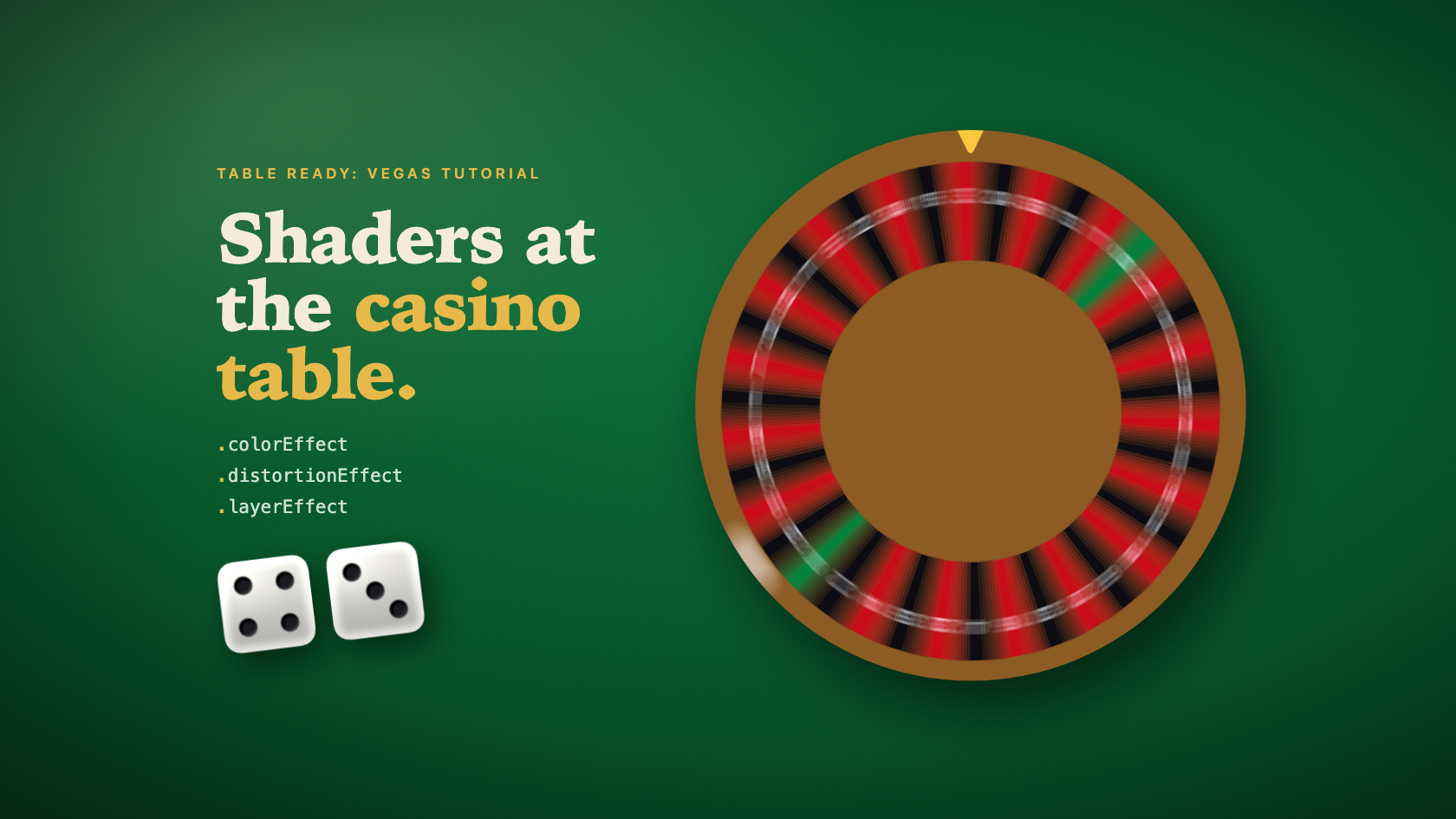
Table Ready: Vegas Tutorial puts nine Metal shaders on the table, all through SwiftUI’s shader modifiers. The felt has a lamp hanging over it. The dice have drilled pips. A baccarat card curls up off the felt when you squeeze it, and the roulette wheel blurs while it spins and sharpens as it slows.
Honestly, none of the Metal was hard. Each shader answers one question for one pixel, and the longest one is about forty lines. The work was in the numbers going in. SwiftUI won’t hand you a velocity, the sample offset is yours to work out, animated values never reach the shader, and the felt texture just disappeared on the dark theme.
Table Ready: Vegas Tutorial is my casino table-game trainer for iPhone. In the visualEffect post I put colorEffect, distortionEffect, and layerEffect in the list of effects you can return from that closure and then walked right past them. This one’s about those three, one table at a time.
Fixxxer — The Build Broke Before Any Shader Ran
The first .metal file I added broke the build. Nothing in the shader, just the fact that the file existed:
error: cannot execute tool 'metal' due to missing Metal Toolchain; use: xcodebuild -downloadComponent MetalToolchain
The Metal compiler is a separate download called the Metal Toolchain, and it’s about 839 MB. Installing Xcode doesn’t get it for you, so a fresh Mac won’t have it and neither will a CI image. Put xcodebuild -downloadComponent MetalToolchain in your CI setup before the first shader merges. Otherwise you get a red build for a reason nobody’s looking for.
After that there’s almost no setup. Xcode compiles every .metal file in the target into the app’s default Metal library. ShaderLibrary uses @dynamicMemberLookup, so ShaderLibrary.feltSurface is really a string lookup dressed up as a property. Call it with arguments and you get a Shader, which is just a function reference plus its bound arguments. The function has to be marked [[ stitchable ]]. SwiftUI doesn’t run it as a standalone shader. It stitches it into its own rendering pipeline, and that attribute is what lets it.
Keep the string lookup in mind (misspell a name and the compiler says nothing). It comes back at the end.
Lux Æterna — colorEffect: The Felt Under the Lamp
The felt used to be a gradient, and it looked flat. A real table has a lamp over it, so you get a pool of warm light that falls off toward the edges, plus a texture you notice more than you see.
That’s a colorEffect job. It’s the simplest of the three, and the signature is fixed:
[[ stitchable ]] half4 name(float2 position, half4 color, args...)
position is the pixel’s location in the view’s own space, in points, measured from its top-leading corner. color is the pixel’s current color, premultiplied. You return the new color. Everything after those two is yours, and the Swift arguments map onto them in order.
Here’s the felt:
[[ stitchable ]] half4 feltSurface(
    float2 position,
    half4 color,
    float4 bounds,
    half4 felt,
    half4 shadow,
    float shade
) {
    float2 size = max(bounds.zw, float2(1.0));
    float2 local = position - bounds.xy;
    float span = max(size.x, size.y);

    // 30 degrees off vertical, falling from the top-left toward the bottom-right.
    float2 lightAxis = float2(0.5, 0.8660254);
    float2 lamp = float2(size.x * 0.18, size.y * 0.04);
    float2 toLamp = (local - lamp) / span;
    float along = dot(toLamp, lightAxis);
    float across = dot(toLamp, float2(-lightAxis.y, lightAxis.x));
    float falloff = length(float2(along * 0.75, across * 1.3));
    float pool = 1.0 - smoothstep(0.0, 0.9, falloff);

    half3 base = mix(shadow.rgb, felt.rgb, half(pool));
    half3 lampTint = half3(1.0h, 0.9h, 0.74h);
    base *= mix(half3(1.0h), lampTint * 1.12h, half(pool * pool * 0.35));

    float bottomShade = clamp(local.y / size.y * 2.0 - 1.0, 0.0, 1.0) * shade;
    base *= half(1.0 - bottomShade);

    // Additive, so dark themes keep a few code values of texture instead of rounding it away.
    half grain = half(felt::fibers(local, lightAxis)) * 0.03h;
    base = max(base + grain, half3(0.0h));

    return half4(base * color.a, color.a);
}
The lamp sits up near the top-left. Each pixel measures its distance from the lamp along the light’s axis and across it, and those two get weighted differently so the pool comes out as an ellipse leaning 30 degrees. pool is 1 right under the lamp and 0 far from it, and it blends the theme’s shadow color into its felt color. The middle of the pool picks up a warm tint, and the bottom half darkens a little more. felt::fibers lives in the same file. It’s three layers of value noise: fine fuzz, a nap stretched along the light, and a slow mottle.
The Swift side is one factory and one modifier:
static func felt(felt: Color, shadow: Color, shade: Double) -> Shader {
    ShaderLibrary.feltSurface(.boundingRect, .color(felt), .color(shadow), .float(shade))
}
var body: some View {
    Rectangle()
        .fill(theme.table.felt)
        .colorEffect(feltShader)
        .ignoresSafeArea()
}
.boundingRect becomes a float4 of the view’s x, y, width, and height, which is where bounds comes from. .color becomes a premultiplied half4, so theme colors go straight into the shader and switching themes is just building a new Shader. The shader ignores the fill’s RGB entirely. The Rectangle is only there to give it pixels and an alpha.
The Grain You Couldn’t See
The first version multiplied the grain in at 4.5%. I didn’t trust my eyes on this one, so I measured it with a small CoreGraphics script. The grain moved pixels by 0.2 to 0.7 code values out of 255, which is about what the dithering on the old gradient was already doing. On the Midnight Neon theme, where the felt’s mean luma sits between 7 and 13, it was just gone.
That’s what multiplying does. 4.5% of a dark value is a fraction of a code value, and fractions round away. The darker the theme, the less texture it gets, which is exactly backwards.
Switching to additive grain fixed it. Adding a fixed amount gave about 1.6 code values of texture in every theme, and that held flat across mean luma from 6.5 to 76. That flatness also tells you something about where the math happens. If colorEffect output were linear, the same addition would show up as more code values in the darks than in the lights, because the encoding curve is steepest near black. That didn’t happen. So in this setup, the output looks gamma-encoded. I wouldn’t put that in a spec, but it’s what the numbers showed.
The comment on the grain line is the short version of all that. It’s one of only two comments in the file, and it’s there because the next person in that file is going to want to change + to *.
Pips as Floats
The dice use the same modifier, plus one argument type the felt didn’t need. Each face is a rounded square, and the shader draws the face, the rounded edge catching light, and the pips. The pips are where .floatArray comes in:
static func dieMaterial(face: Color, pip: Color, value: Int) -> Shader {
    ShaderLibrary.dieMaterial(
        .boundingRect,
        .color(face),
        .color(pip),
        .floatArray(DieMaterial.pipCoordinates(for: value)),
        .float(DieMaterial.corner),
        .float(DieMaterial.pipRadius)
    )
}
static func pipCoordinates(for value: Int) -> [Float] {
    DieFaceView.pipPositions(for: value).flatMap { point in [Float(point.x), Float(point.y)] }
}
There’s no float2 array, so each pip’s unit-space position gets packed as two floats. On the Metal side, that one Swift argument turns into two parameters, a pointer and a count:
[[ stitchable ]] half4 dieMaterial(
    float2 position,
    half4 color,
    float4 bounds,
    half4 face,
    half4 pip,
    device const float *pips,
    int pipValues,
    float corner,
    float pipRadius
)
The count is the number of floats, not the number of pips, so a five has ten values. That’s why it’s called pipValues and why the loop walks in twos:
float2 lampAxis = normalize(float2(-0.6, -0.8));
for (int index = 0; index + 1 < pipValues; index += 2) {
    float2 offset = uv - float2(pips[index], pips[index + 1]);
    float reach = length(offset);
    float hole = 1.0 - smoothstep(pipRadius - aa, pipRadius + aa, reach);
    if (hole <= 0.0) {
        continue;
    }
    float wall = smoothstep(pipRadius * 0.45, pipRadius, reach);
    float facing = reach > 0.0001 ? dot(offset / reach, lampAxis) : 0.0;
    half3 drilled = pip.rgb + half(wall * (0.2 * -facing - 0.06));
    body = mix(body, clamp(drilled, 0.0h, 1.0h), half(hole));
}
Declare only the pointer and every argument after it is off by one. Nothing warns you. A placeholder die has the value 0, which packs to an empty array, so the loop never runs. There’s a test for exactly that, plus one that checks every pip shows up as an x-y pair.
The drilled-pip shading taught me the felt lesson a second time. Each pip gets a wall that’s lit on one side and shaded on the other. The first version multiplied that shading onto the pip color, and the pip ink is nearly black in most themes. Near-black times anything is still near-black, so the shading did nothing until I switched it to add.

Poor Twisted Me — distortionEffect and the Baccarat Squeeze
In high-limit baccarat, players don’t flip their cards. They squeeze them, peeling the card up from one edge a little at a time to build tension before the pips show. It’s a real ritual, and Table Ready’s etiquette lesson teaches it. You can also do it right on the table. Drag up on a dealt card and it curls back off the face beneath.
That looks like a distortionEffect job, and part of it is. A distortion shader changes where each pixel comes from:
[[ stitchable ]] float2 name(float2 position, args...)
You get the destination position and return the source position to sample, so it’s a pull, not a push. For a curl, every pixel on the rolled part of the card has to ask which point on the flat card lands here once the card’s wrapped around a cylinder. cardCurlBend answers that:
[[ stitchable ]] float2 cardCurlBend(float2 position, float height, float peel, float radius) {
    curl::Hit result = curl::hit(position.y, height, peel, radius);
    return float2(position.x, result.sourceY);
}
curl::hit does the geometry. The lifted part of the card wraps around a cylinder whose radius is 0.16 of the card’s height. Below the fold, the card is flat and every pixel samples itself. On the rising side of the cylinder, a pixel u points past the fold sits at angle asin(u / r) around it, so it samples from fold + r * angle. That gets you the bend and the foreshortening.
The catch is that a distortion only picks where each pixel samples from. It can’t do any of the rest:
- Light the crease. A curl reads as a curl because the bend catches light. That’s a color change, so it takes a color effect.
- Make uncovered pixels transparent. Once the card lifts, the strip it used to cover should show the face underneath. Distortion can point a pixel somewhere else, but it can’t make it empty.
- Show the other side of the card. Past vertical you’d be looking at the underside of the lifted strip, and that isn’t in the back’s layer at all. There’s nothing there to sample.
- Touch another view. The lifted card should cast a shadow onto the face below it, and the face is a different view.
So the squeeze ended up as three shaders. The card back gets the bend followed by a color effect, and the face gets its own color effect for the shadow:
@Animatable
private struct CardCurlEffect: ViewModifier {
    var peel: CGFloat
    @AnimatableIgnored var height: CGFloat
    @AnimatableIgnored var surface: CardCurlSurface

    func body(content: Content) -> some View {
        let curl = CardCurl(height: height, peel: peel)
        switch surface {
        case .face:
            content
                .colorEffect(TableShaders.cardCurlShadow(curl), isEnabled: peel > 0)
                .opacity(peel > 0 ? 1 : 0)
        case .back(let stock):
            content
                .distortionEffect(
                    TableShaders.cardCurlBend(curl),
                    maxSampleOffset: curl.maxSampleOffset,
                    isEnabled: peel > 0
                )
                .colorEffect(TableShaders.cardCurlShade(curl, stock: stock), isEnabled: peel > 0)
        }
    }
}
The shade shader runs the same curl::hit and switches on the region:
[[ stitchable ]] half4 cardCurlShade(float2 position, half4 color, float height, float peel, float radius, half4 stock) {
    curl::Hit result = curl::hit(position.y, height, peel, radius);
    switch (result.kind) {
    case curl::none:
        return half4(0.0h);
    case curl::underside:
        return half4(stock.rgb * min(curl::lighting(result.normal), 1.15h) * color.a, color.a);
    case curl::back:
        return half4(color.rgb * min(curl::lighting(result.normal), 1.25h), color.a);
    default:
        return color;
    }
}
none is the strip the card has lifted off. It returns clear so the face shows through. back is the rising part of the curl, lit by its surface normal. underside is whatever has rolled past vertical, and it gets painted as plain card stock in the face color, lit the same way.
Painting the underside is more than a workaround, too. It keeps the sample offset small. Sampling the real underside means the bend has to reach across the whole rolled-over arc, which is a maxSampleOffset of up to π times the curl radius. Painting it keeps the bend’s reach to the rising quarter of the cylinder, where the farthest a pixel samples from itself is r * (π/2 − 1). That’s about 12 points on a large card:
var maxSampleOffset: CGSize {
    CGSize(width: 0, height: (radius * (.pi / 2 - 1)).rounded(.up))
}
It’s zero on x because the curl only moves pixels vertically. Think of that number as a promise to SwiftUI. SwiftUI can’t see inside your shader, so it asks how far any sample can land from its pixel and uses that to decide how much of the view to render. Promise too little and the effect gets clipped. A test checks the promise at every peel from 0 to 1 in steps of 0.02, at every quarter point down the card. Another one checks that at the 60% point, where letting go reveals the card, more than 40% of the face is showing.


Animated Values Never Reach the Shader
That @Animatable on the modifier is load-bearing.
When you let go short of the reveal point, the card springs back:
withAnimation(reduceMotion ? nil : Springs.snappy) { peel = 0 }
If peel went straight into the shader arguments, that spring wouldn’t touch the curl. Shader arguments aren’t animatable, so SwiftUI would hand the shader the final value, 0, on the next frame and the curl would just snap flat.
The modifier is how you get around that. @Animatable makes peel the modifier’s animatable data, so SwiftUI interpolates it and calls body with every in-between value. Each frame builds a fresh CardCurl and new shaders from it. @AnimatableIgnored keeps height and the surface out of the interpolation.
Card flips work the same way. CardFlipShading is an @Animatable modifier over degrees, and each frame works out brightness and a moving glint from the angle alone. That’s fine for a flip, because the shading only depends on where the card is. The wheel needed something interpolation never gives you.
Frantic — layerEffect and the Roulette Wheel
The wheel is where a pixel finally needs to see its neighbors, which means layerEffect:
[[ stitchable ]] half4 name(float2 position, SwiftUI::Layer layer, args...)
SwiftUI::Layer comes from #include <SwiftUI/SwiftUI.h> and has one method that matters: sample(position) returns the rendered view’s color at any point, filtered and premultiplied. Sample along an arc, average what you get, and you’ve got motion blur around the wheel’s center:
[[ stitchable ]] half4 wheelArcBlur(
    float2 position,
    SwiftUI::Layer layer,
    float2 center,
    float angle,
    float innerRadius,
    float outerRadius,
    float sampleSpacing,
    float maxSamples
) {
    float2 offset = position - center;
    float radius = length(offset);
    if (angle <= 0.0 || radius < innerRadius || radius > outerRadius) {
        return layer.sample(position);
    }

    int count = int(clamp(ceil(radius * angle / max(sampleSpacing, 0.25)), 2.0, max(maxSamples, 2.0)));
    float step = angle / float(count - 1);
    float2 stepTurn = float2(cos(step), sin(step));
    float2 startTurn = float2(cos(-angle * 0.5), sin(-angle * 0.5));
    float2 arm = float2(offset.x * startTurn.x - offset.y * startTurn.y, offset.x * startTurn.y + offset.y * startTurn.x);

    half4 sum = half4(0.0h);
    for (int index = 0; index < count; index++) {
        sum += layer.sample(center + arm);
        arm = float2(arm.x * stepTurn.x - arm.y * stepTurn.y, arm.x * stepTurn.y + arm.y * stepTurn.x);
    }
    return sum / half(count);
}
The sample count scales with arc length (capped at 24), so pixels near the hub take fewer samples than pixels out at the rim. The arm starts half the angle back and rotates forward one step at a time, which keeps the blur centered on the pixel.
The early return matters. According to the SDK’s SwiftUI_Metal.h, Layer::sample clamps to the edge, so a sample outside the layer doesn’t come back transparent. You get the nearest edge pixel repeated. Rotating around the center keeps a pixel at the same radius, which means a pixel inside the pocket ring only ever samples inside the ring’s circle. The corners of the square frame sit outside that circle, and rotating them would drag samples past the frame’s edge into clamped pixels. So anything outside the ring passes through untouched. So does the hub, since there’s nothing on it to blur.
How long the arc should be comes from treating it like a camera:
nonisolated enum WheelBlur {
    static let shutter = 1.0 / 60
    static let ballShutter = 1.0 / 120
    static let maxAngle = 0.35
    static let minArc = 0.5
    static let sampleSpacing = 1.5
    static let maxSamples = 24

    static func angle(degreesPerSecond: Double, outerRadius: Double, shutter: Double = shutter) -> Double {
        let angle = min(abs(degreesPerSecond) * .pi / 180 * shutter, maxAngle)
        return angle * outerRadius < minArc ? 0 : angle
    }

    static func maxSampleOffset(outerRadius: Double, maxAngle: Double = maxAngle) -> CGSize {
        let chord = (2 * outerRadius * sin(maxAngle / 4)).rounded(.up)
        return CGSize(width: chord, height: chord)
    }
}
The blur angle is how far the wheel turns while a 1/60-second shutter is open, capped at 0.35 radians. If that arc would come out under half a point at the rim, it’s zero, and isEnabled shuts the shader off.
maxSampleOffset falls straight out of the math. The samples are centered on the pixel, so the farthest one is only half the max angle away. On the 300-point wheel that’s about 23 points, not the 46 the full arc R·θmax covers. The code measures it as the chord, 2R·sin(θmax/4), which at an angle this small is practically the same number, and rounds up to 24. Same promise as the curl, worked out for a different shape. Tests sweep points across the whole wheel and check every sample offset against it.
SwiftUI Won’t Tell You How Fast
That blur needs the wheel’s speed on every frame, and the first version of the wheel didn’t have one.
It spun the way you’d expect, with withAnimation(.timingCurve(...)) on a rotation angle. SwiftUI animates that angle and only ever shows you the interpolated value. The velocity is in there, inside the animation, but you can’t get at it. I looked at three ways around that.
- Compare frames. An
Animatablemodifier could remember last frame’s angle and subtract. That means mutating state during render, which is exactly what you’re not supposed to do. - A
CustomAnimation. Custom animations do track velocity internally. You still can’t read it from the view. - Drive the rotation yourself. Use
TimelineViewfor the clock and the same curve as aUnitCurve.UnitCurvehasvalue(at:)and alsovelocity(at:), which gives you the curve’s exact slope.
I went with the last one. The spin is now a plain value:
nonisolated struct RouletteWheelSpin: Hashable, Sendable {
    let from: Double
    let to: Double
    let start: Date
    let duration: Double
    var curve = Springs.wheelSpin

    func progress(at date: Date) -> Double {
        guard duration > 0 else { return 1 }
        return min(max(date.timeIntervalSince(start) / duration, 0), 1)
    }

    func rotation(at date: Date) -> Double {
        from + (to - from) * curve.value(at: progress(at: date))
    }

    func degreesPerSecond(at date: Date) -> Double {
        let progress = progress(at: date)
        guard duration > 0, progress < 1 else { return 0 }
        return (to - from) * curve.velocity(at: progress) / duration
    }
}
velocity(at:) is the slope in unit space, so scaling it by the total turn and dividing by the duration gives degrees per second. One test checks it against a finite-difference slope of rotation(at:), and another integrates it back to the whole turn.
The view asks the spin for both numbers on every tick:
TimelineView(.animation(paused: !isTicking)) { context in
    spinningWheel(at: isTicking ? context.date : flight?.wheel.end ?? context.date)
}
private func spinningFace(at date: Date) -> some View {
    let angle = reduceMotion ? 0 : WheelBlur.angle(
        degreesPerSecond: flight?.wheel.degreesPerSecond(at: date) ?? 0,
        outerRadius: pocketRadius
    )
    return RouletteWheelFace(
        geometry: geometry,
        diameter: diameter,
        showsNumerals: showsNumerals,
        ballIndex: ballIndex
    )
    .frame(width: pocketRadius * 2, height: pocketRadius * 2)
    .rotationEffect(.degrees(flight?.wheel.rotation(at: date) ?? rotation))
    .layerEffect(
        TableShaders.wheelArcBlur(
            center: CGPoint(x: pocketRadius, y: pocketRadius),
            angle: angle,
            innerRadius: hubRadius,
            outerRadius: pocketRadius
        ),
        maxSampleOffset: WheelBlur.maxSampleOffset(outerRadius: pocketRadius),
        isEnabled: angle > 0
    )
}
This isn’t free. SwiftUI used to redirect an interrupted spin for me, and now a new spin has to start from whatever angle is on screen, computed from the old spin at that moment. The end of the spin was an animation completion. Now it’s a .task(id: flight) that sleeps for the remaining time and stops the clock. Everything in the timeline closure rebuilds every frame, so the 38 sectors moved into their own RouletteWheelFace struct to keep that closure cheap. And the table already had an .animation(.snappy, value: scene) on it, which would have happily animated all my new state changes too. So every change to the spin’s state goes through a helper that sets disablesAnimations on a transaction.
The Phone Said No
My first version peaked at about 2,500 degrees a second. It ran 1.8 seconds for three turns, on a curve that started at 3.5 times its average speed, so that’s nearly seven revolutions a second. There also wasn’t a ball during the spin. The ball only got drawn once it had landed, and that had been true since before any of this.
Then I ran a Release build on my iPhone 17 Pro Max, and it looked wrong. A real wheel doesn’t spin like a drill. And the ball is the whole show.
So I reworked it to act like a real table. The wheel now peaks around 0.8 to 1.2 revolutions a second and only slows down, on UnitCurve.bezier with control points (0.3, 0.48) and (0.7, 1). The spin went from 1.8 seconds to 4.0, and from three turns to two. A test checks the peak for every landing.
The first slow curve I tried had control points (0.25, 0.4) and (0.6, 1), and it was supposed to only decelerate. It didn’t, quite. Sampled through velocity(at:), its slope went 1.60, then 1.61, then 1.59, so it sped up for a moment before slowing down. A test called “the wheel only slows down” caught it, which is the whole reason that test exists. Both curves start at the same slope, 1.6. The difference is the second control point. In the bad curve, the line from the origin to (0.6, 1) is steeper than the line to (0.25, 0.4), and that’s enough to make the slope tick up briefly after the start. Moving the second point out to (0.7, 1) fixed it.
The slower wheel changed the blur too. At about one revolution a second with a 1/60 shutter, the blur is about 0.10 radians, roughly 6 degrees, which works out to around 14 points at the rim of the 300-point wheel. It’s subtler, but you can see it, and the numerals smear instead of disappearing. It switches off below 13 degrees a second, where the rim moves less than half a point per frame. The curve only slows, so it crosses that line exactly once, and the blur fades out without ever flickering back on. Before the rework, the blur sat pinned at its 0.35-radian cap for the first third of the spin, so the cap was the thing doing the work. Now the blur length actually follows the speed.
The Ball
The ball got its own layer and its own blur. It goes the opposite direction at 990 degrees a second (2.75 revolutions a second) and slows to 90. At 70% of the spin, 2.8 seconds in, it drops off the track and rattles, bouncing at 30% and then 10% of the drop height. It’s seated by about 3.34 seconds and rides its pocket to rest.
The flying ball is a small Circle with the same arc blur shader on it. That’s why the shader takes an explicit center instead of .boundingRect: the ball’s layer is tiny, and it has to blur around the wheel’s center, not its own.
return Circle()
    .fill(theme.roulette.ball)
    .frame(width: size, height: size)
    .layerEffect(
        TableShaders.wheelArcBlur(
            center: CGPoint(x: size / 2 - position.x, y: size / 2 - position.y),
            angle: angle,
            innerRadius: 0,
            outerRadius: ballReach
        ),
        maxSampleOffset: WheelBlur.maxSampleOffset(
            outerRadius: ballReach,
            maxAngle: RouletteBallFlight.maxBlurAngle
        ),
        isEnabled: angle > 0
    )
    .offset(x: position.x, y: position.y)
The shader goes on before .offset, so it works in the ball’s own frame, and the offset moves the finished streak into place. Its maxSampleOffset uses the ball’s reach from the wheel’s center (the rim radius), not the pocket radius.
At a 1/60 shutter, the streak came out at about a third opacity. Average an 18-point dot over roughly 41 points of arc and you get a ghost trail, not a ball. I could have put a floor on the opacity, but that’s adding light that isn’t there. The ball uses a shorter shutter instead, 1/120, which is closer to what your eye does anyway when it tracks a moving ball. Peak opacity went from about 0.37 to about 0.75, and the ball’s maxSampleOffset dropped from 27 points to 11.
Then the ball didn’t fit. It was 0.06 of the wheel’s diameter, and so was the rim, so any track either touched the rim’s outer edge or sat on the pockets. No shader was going to fix that. The ball is 0.05 now, the landed ball shrank with it since they share one definition, and the track rides the inner side of the rim.


The landing is deterministic. The engine picks the pocket before the spin starts, and the ball has to end up in it. Before the drop, the ball’s angle is a cubic with fixed speeds at both ends, 990 at the start and 90 at the drop. The only free choice is how far it travels. That’s set so the ball is over the target pocket the moment it drops, plus however many whole turns get it near a natural distance. After the drop, its angle is the wheel’s angle plus the pocket’s plus a damped wobble:
private func rattle(after seconds: Double) -> (offset: Double, speed: Double) {
    let dropDate = wheel.start.addingTimeInterval(dropDelay)
    let relativeSpeed = travel * endSlope / dropDelay - wheel.degreesPerSecond(at: dropDate)
    let omega = 2 * .pi * Self.rattleHertz
    let envelope = exp(-Self.rattleDecay * seconds)
    let offset = envelope * relativeSpeed / omega * sin(omega * seconds)
    let speed = envelope * relativeSpeed * (cos(omega * seconds) - Self.rattleDecay / omega * sin(omega * seconds))
    return (offset, speed)
}
At the drop, sin is zero, so the wobble starts with no offset. cos is one, so it starts with the ball’s speed relative to the wheel. Position and velocity are both continuous across the drop, which means the blur doesn’t jump either.
The tests run every pocket on all three wheel types (single, double, and triple zero), from three starting angles, at two sizes. That’s 684 cases, and every one has to finish exactly where the landed ball is drawn.
Two of those tests were wrong before the code was. Before the drop, the ball’s angle is “start plus travel.” After the drop, it’s “wheel plus pocket.” Those put the ball on the same spot on screen, but as numbers they can be multiples of 360 apart, so the continuity test compares screen positions instead of angles. It also started out allowing half a millisecond on either side of the drop. That failed, because the ball really does move about 0.22 points per millisecond. Now it checks a microsecond on either side.
Two Ways a Spin Wouldn’t End
A paused TimelineView keeps the last date it drew, which can be a frame short of the end, so the wheel stops a hair before its final pose. That’s why the closure passes flight?.wheel.end whenever the timeline isn’t ticking. The wheel draws its exact end pose, not whatever the timeline’s last frame happened to be.
The other one only showed up when the same number hit twice. Settling the wheel was keyed on landed changing. Land on 17, then land on 17 again, and landed never changes. Tap Skip and the wheel keeps spinning with the ball already seated. Settling now also runs when spinningTo clears:
.onChange(of: spinningTo) { _, pocket in
    if pocket == nil {
        settle(on: landed)
    } else {
        spin(to: pocket)
    }
}
.onChange(of: landed) { _, pocket in settle(on: pocket) }
Halo on Fire — The Dolly Ripple
When the ball lands, the dealer puts the dolly on the winning number. In Table Ready, the layout ripples out from that spot.
The shader is basically the ripple from Apple’s WWDC24 sample, with a few changes:
[[ stitchable ]] half4 ripple(
    float2 position,
    SwiftUI::Layer layer,
    float2 origin,
    float time,
    float amplitude,
    float frequency,
    float decay,
    float speed
) {
    float2 delta = position - origin;
    float radius = length(delta);
    float localTime = max(0.0, time - radius / max(speed, 1.0));
    float displacement = amplitude * sin(frequency * localTime) * exp(-decay * localTime);
    float2 direction = radius > 0.001 ? delta / radius : float2(0.0);

    half4 color = layer.sample(position + displacement * direction);
    float crest = amplitude > 0.0 ? displacement / amplitude : 0.0;
    color.rgb += half(0.18 * crest) * color.a;
    return color;
}
The wave reaches each pixel radius / speed seconds after it starts, and localTime is how long it’s been since it got there. The sine makes it oscillate and the exponential makes it die out. Shifting the sample along the direction away from the origin is what bends the content.
Most of the changes are guards. Apple’s sample normalizes position - origin, and right at the origin that’s a zero vector. Normalize that and you get NaN, so the direction is guarded instead. The crest shading divides by amplitude, so zero amplitude gets a guard too. The other change is the shading multiplier. Apple’s sample uses 0.3, which was too strong on this layout, so it’s 0.18 here.
maxSampleOffset is the amplitude in both axes, because direction is a unit vector and displacement never goes past amplitude. A test checks that across 900 points of distance and the full duration. Another checks that by the time isEnabled turns the effect off, the wave has settled across the widest layout in the app.
Where the Dolly Is
The ripple has to start at the winning cell, in the shader’s own coordinates, no matter what padding and frames sit between the cell and the view the effect is on. Measuring and converting points by hand is how you end up with a ripple that’s off by exactly the padding.
An anchor preference handles it. The winning cell publishes anchorPreference with .center. The modifier stores the Anchor<CGPoint> and resolves it inside visualEffect, where the proxy belongs to the same view the shader draws:
struct RouletteDollyRipple: ViewModifier {
    let trigger: Int
    var style = RippleStyle.dolly

    func body(content: Content) -> some View {
        content
            .onPreferenceChange(RouletteDollyAnchorKey.self) { anchor in
                dollyAnchor = anchor
            }
            .keyframeAnimator(
                initialValue: Double.zero,
                trigger: trigger
            ) { [dollyAnchor, style, reduceMotion] view, elapsed in
                view.visualEffect { effect, proxy in
                    let origin = dollyAnchor.map { anchor in proxy[anchor] } ?? .zero
                    return effect.layerEffect(
                        TableShaders.ripple(origin: origin, elapsed: elapsed, style: style),
                        maxSampleOffset: style.maxSampleOffset,
                        isEnabled: !reduceMotion && dollyAnchor != nil && style.isRunning(elapsed: elapsed)
                    )
                }
            } keyframes: { [duration = style.duration] _ in
                MoveKeyframe(0)
                LinearKeyframe(duration, duration: duration)
            }
    }

    @State private var dollyAnchor: Anchor<CGPoint>?
    @Environment(\.accessibilityReduceMotion) private var reduceMotion
}
proxy[anchor] resolves the anchor into the proxy’s coordinate space, which is the shader’s space. The keyframeAnimator is only there for time. A linear keyframe from 0 to the duration gives you elapsed seconds, and MoveKeyframe(0) jumps back to zero when the trigger changes, so every landing starts a fresh wave. It’s the same idea as the curl modifier. Shader arguments don’t animate on their own, so something has to produce a new value every frame, and here that’s the keyframe animator.
To check the origin I slowed the ripple way down: 120 points a second with low decay, so the rings hang around long enough to see where they’re centered. Dead center on the 7.

That’s the diagnostic version, not what ships. The real one is six points of amplitude at 650 points a second, and it’s gone in two seconds.
The ripple itself was fine, but I had the trigger in the wrong place at first. I fired it when the dolly landed, and the dolly lands while the full-screen spin stage is still covering the layout (a 600 ms hold, then a 0.4-second fade). So the whole ripple played out underneath the stage where nobody could see it. Now it triggers when the stage closes.
The trigger used to be generic, RouletteDollyRipple<Trigger: Equatable>. Swift 6.2 flagged it:
capture of non-Sendable type 'Trigger.Type' in an isolated closure [#SendableMetatypes]
The keyframe closure is @Sendable, and capturing a generic parameter there captures its metatype. Nothing actually needed it to be generic, so the trigger’s a plain Int now.
Devil’s Dance — Throwing the Dice
The craps dice tumble in from across the tray with a straight-line motion blur. It’s the wheel’s blur with a straight streak instead of an arc, driven by a keyframe animator like the ripple. A couple of details here are worth stealing.
keyframeAnimator doesn’t run when a view gets inserted. It runs when its trigger changes. The old tray used .id(rollID) with a transition, which reinserted the dice on every roll, so a keyframe throw would never have played at all. Now the dice stay on screen (placeholder dice before the first roll), and the animator starts at the full duration so the first render is already at rest:
content.keyframeAnimator(
    initialValue: dieThrow.duration,
    trigger: trigger
) { [dieThrow, reduceMotion] die, elapsed in
    let pose = reduceMotion ? DicePose.rest : dieThrow.pose(at: elapsed)
    die
        .layerEffect(
            TableShaders.linearMotionBlur(streak: pose.streak()),
            maxSampleOffset: dieThrow.maxSampleOffset,
            isEnabled: pose.speed > 0
        )
        .rotationEffect(.degrees(pose.degrees))
        .offset(x: pose.offset.dx, y: pose.offset.dy)
} keyframes: { [duration = dieThrow.duration] _ in
    MoveKeyframe(0)
    LinearKeyframe(duration, duration: duration)
}
The blur runs in the die’s own frame, before rotationEffect, so the streak has to be in the die’s frame too. pose.streak() takes the screen velocity and rotates it back by the die’s current angle. I put the rotation after the blur because I expect the other order would clip the streak. To be clear, that’s reasoning, not testing. I never built it the other way to check.
The maxSampleOffset here comes from a speed limit you can actually prove. The throw is a cubic slide plus decaying hops, and the two largest possible speeds added together bound the whole path. Half of that times the shutter is 10 points at the default die size. A test samples the throw and checks every streak against it.
Pai Gow uses dice too, but nobody throws them. They’re shaken in a cup and revealed, so a throw would teach the wrong thing. Those dice get the material and nothing else.
One small Swift 6.2 surprise while I was in there. With MemberImportVisibility turned on, CGVector.zero wouldn’t compile in a file that never imported CoreGraphics:
error: static property 'zero' is not available due to missing import of defining module 'CoreGraphics'
import CoreGraphics fixed it.
Confusion — What compile(as:) Catches
Every shader has to be compiled for the device’s GPU before it first draws. By default that happens on first use, which is about the worst time for it, right in the middle of the first squeeze or the first spin. iOS 18 added compile(as:) so you can do that work earlier, and Table Ready calls it for all nine at launch:
nonisolated enum ShaderWarmup {
    @concurrent
    static func compileAll() async {
        for warmup in TableShaders.warmups {
            do {
                try await warmup.shader.compile(as: warmup.usage)
            } catch {
                Log.shaders
                    .error("Could not precompile \(warmup.name, privacy: .public): \(error.localizedDescription)")
            }
        }
    }
}
The @concurrent matters. The project builds with SWIFT_APPROACHABLE_CONCURRENCY = YES, and with that on, a plain nonisolated async function runs on the caller’s actor. Called from the app at launch, that’s the main actor. @concurrent is what actually gets it off.
I wanted to know what this catches, so I fed it some mistakes on purpose.
A misspelled function name throws:
RBShaderError Code=1 "Unknown Metal function: feltSurfce"
The wrong usage type throws too. Here’s the ripple compiled as a color effect:
Function stitching failed: ripple. Parameter at index 1: invalid struct type, layer, expected half4.
Wrong argument types and wrong argument counts don’t throw, though. ripple(.float(0), .float(0)) compiles cleanly, even though the real function takes a float2 and five floats. So warmup checks names and usage types. It doesn’t check argument lists, and it’s really easy to assume it does.
That changed how I set up the code. The views and the warmup list build their shaders from the same TableShaders factory, so each shader’s argument list lives in exactly one place. The warmup list just calls the factory with placeholder values:
static var warmups: [Warmup] {
    let curl = CardCurl(height: 0, peel: 0)
    return [
        Warmup(name: "feltSurface", shader: felt(felt: .clear, shadow: .clear, shade: 0), usage: .colorEffect),
        Warmup(name: "ripple", shader: ripple(origin: .zero, elapsed: 0, style: .dolly), usage: .layerEffect),
        Warmup(name: "cardCurlBend", shader: cardCurlBend(curl), usage: .distortionEffect),
        Warmup(name: "dieMaterial", shader: dieMaterial(face: .clear, pip: .clear, value: 0), usage: .colorEffect),
        // ...the other five
    ]
}
That still leaves one gap, a shader that never made it into the list. A test closes that by reading the .metal sources directly:
@Test
func everyStitchableFunctionIsWarmedUp() throws {
    let root = URL(filePath: #filePath)
        .deletingLastPathComponent()
        .deletingLastPathComponent()
        .deletingLastPathComponent()
        .appending(path: "TableReady")
    let files = try #require(FileManager.default.enumerator(at: root, includingPropertiesForKeys: nil))
    var declared: Set<String> = []
    for case let url as URL in files where url.pathExtension == "metal" {
        let text = try String(contentsOf: url, encoding: .utf8)
        for line in text.split(separator: "\n") where line.contains("[[ stitchable ]]") {
            let head = line.split(separator: "(").first ?? ""
            if let name = head.split(separator: " ").last {
                declared.insert(String(name))
            }
        }
    }
    let warmed = Set(TableShaders.warmups.map(\.name))
    #expect(declared.count == 9)
    #expect(declared == warmed)
}
Yeah, it’s a string scan, not a parser, and it depends on each signature’s name sitting on the same line as the attribute. I’m fine with that. If the formatting ever changes, the names stop matching and the test fails, which is what I’d want anyway. A separate test compiles every warmup for its usage.
Bad Seed — Where It Bites
Most of these already came up. Here they are in one place, plus one that didn’t.
Add, don’t multiply, near black. Multiplied texture and shading scale with brightness, so they disappear on dark colors. It got the felt on Midnight Neon and the dark dice pips. And measure it. A difference under one code value is invisible to everyone, you included.
Derive maxSampleOffset, then test it. The curl’s is r * (π/2 − 1). The wheel’s is half the blur angle, because the samples are centered. The dice’s comes from a speed limit. Once it’s a formula, a test can sweep the motion and check every sample against it.
Layer::sample clamps to the edge. Out-of-bounds samples repeat the edge pixel instead of coming back clear. If your shader can reach past the layer, decide what those pixels should do.
Animated values don’t reach shader arguments. Put the value on an @Animatable modifier and build the shader in its body. If you need something interpolation never gives you, like velocity, drive the clock yourself.
half for colors, float for everything else. half has 11 bits of precision, which is plenty for a color channel. It isn’t enough for a position. Between 1024 and 2048, adjacent half values are a full point apart. The signatures already tell you this, since position is float2 and color is half4. Every shader here follows that and converts with half(...) wherever float math feeds a color.
compile(as:) checks names and usage types, not arguments. Share one factory between your views and your warmup, and test that the list is complete.
Keep shaders behind isEnabled. The wheel blur is off whenever the wheel is still or slow. The curl is off until you touch the card, and the ripple is off outside its two seconds. Everything that moves also checks Reduce Motion, though honestly I verified that by reading the code, not by running every screen with the setting on. I haven’t profiled any of this in Instruments either, so I’m not going to give you frame times. What I can tell you is what runs per pixel and when it’s turned off.
Shadows Follow
The full test suite passes, and SwiftLint and SwiftFormat are clean. A lot of those tests are about shaders, and other than the warmup test, none of them actually run one. They test the numbers instead, like the curl’s geometry, the wheel’s velocity, the ball’s landing, and the sample bounds. The Swift side owns the numbers, so that’s where you can check them. If I carry one habit from this into other shader work, it’s that one. Pull the math out into plain Swift values, test those, and keep the Metal a thin function at the end.
The other thing is that the phone gets the last word. The math for a wheel spinning seven revolutions a second was correct, and so was the blur. It was still the wrong wheel, and it took a Release build in my hand to see that. A real wheel moves slower than you’d think, and the ball does most of the work.
Keep shipping.