The Ecstasy of Gold
There’s exactly one door into VinylCrate’s Insights area — an unlabeled chart icon in the Home toolbar. Behind it sits the collector’s dashboard: what your collection is worth, your top genres, your most-spun records. Analytics said people weren’t walking through it. The sessions that found Insights stayed there, so the feature wasn’t weak. The door was invisible.
That’s the job TipKit exists for, and almost everything written about it stops at the demo popover. Add a tip, watch it appear, ship the screenshot. What nobody writes about is what happens when TipKit meets a real app: a first-run flow that fights your popovers for the screen, a 1,300-line detail view where two tips want the same scroll position, a once-per-process configure call that quietly dictates how your debug tooling has to work, and the question of whether any of this is testable at all.

Nothing Else Matters
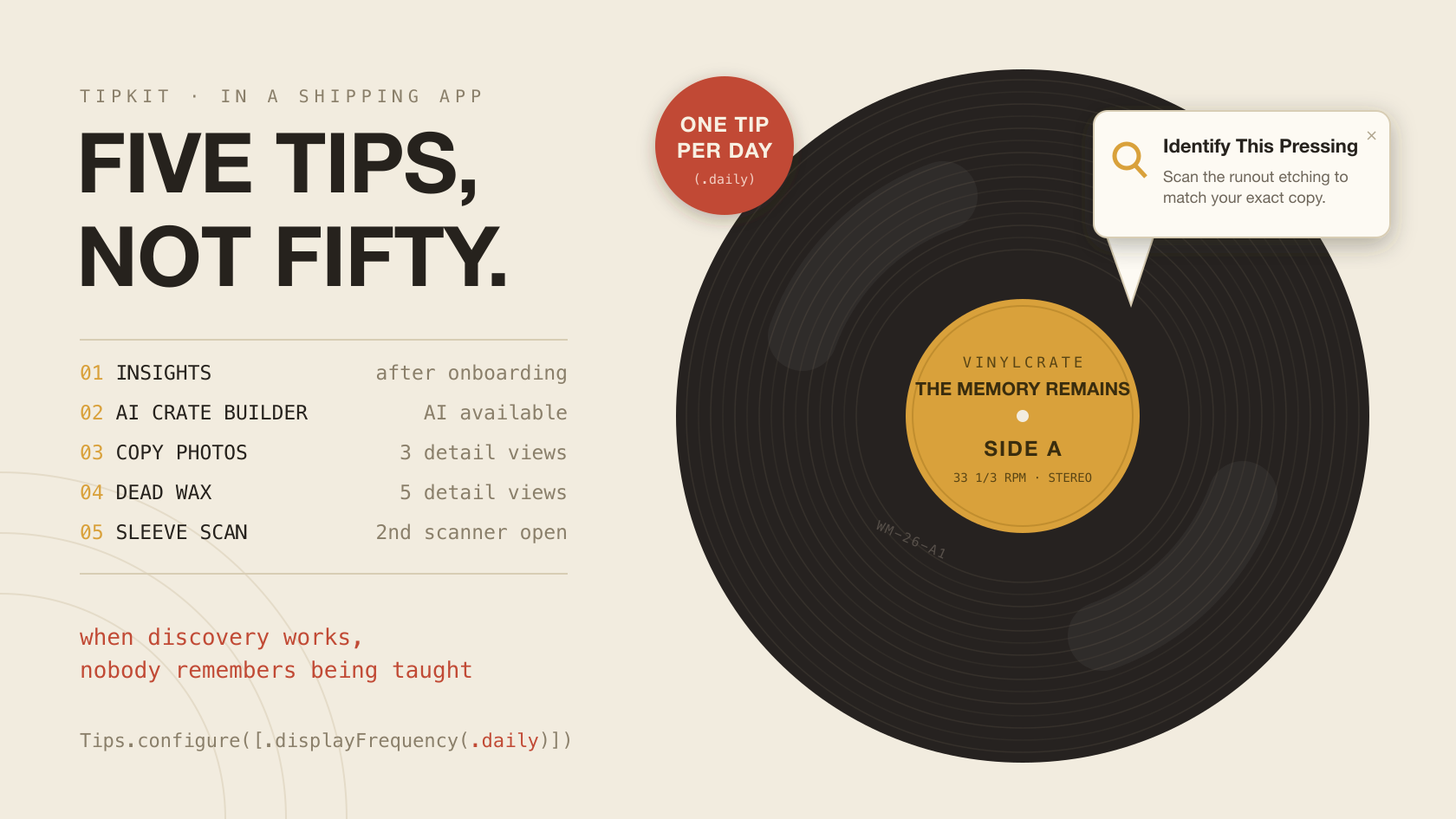
VinylCrate ships five tips. Not fifteen. The restraint is the point, so before any mechanics, here’s the full roster:
- Insights — “Explore Your Collector’s Dashboard.” The unlabeled toolbar icon that started all of this: the sole entry into an entire feature area.
- AI Crate Builder — “Build a Crate with AI.” A sparkles button that takes a mood — “late-night thrash,” say — and assembles a crate from records you actually own.
- Copy Photos — “Photograph Your Copy.” Covers, inners, and each disc of the physical copy on your shelf, not the Discogs stock art.
- Dead Wax — “Identify Your Exact Pressing.” Scan the runout etchings and match the pressing you own — the difference between a copy of Ride the Lightning and your copy.
- Sleeve Scan — “No Barcode? Scan the Sleeve.” Point the camera at the cover and on-device AI identifies the record.
Notice what’s not on the list: anything with a visible banner or a labeled control. VinylCrate has plenty of features behind buttons that say what they do, and none of them get a tip, because a tip on a labeled button is chrome explaining chrome. TipKit gives you one display slot per day by default — we’ll get to that — and every tip you attach to something self-explanatory spends that budget teaching nothing.
The heuristic that produced this list: tip the features users would love but will never find. Skip the ones the UI already explains. If the tip is describing the button next to it, delete the tip.
One anchoring note for anyone reading along in the repo: the Insights anchor is the toolbar button in CollectionView — the live Home tab — in Views/ContentView.swift.
Sad But True
TipKit gives you two primitives for eligibility, and the framework’s docs treat them as interchangeable knobs. They’re not.
@Parameter is for state the app can recompute at any moment. Collection size. Whether the user owns physical copies. Whether Apple Intelligence is available on this device. Whether onboarding finished. The test is simple: if you deleted the value and could rebuild it from scratch on the next launch, it’s a parameter.
Tips.Event is for history — the thing state can’t honestly represent. “The user has viewed album detail three times” isn’t derivable from your SwiftData store or your services. You can’t recompute a count of past moments; you had to be counting when they happened.
VinylCrate’s shared parameters live on InsightsTip:
nonisolated struct InsightsTip: Tip {

    @Parameter static var onboardingComplete: Bool = false
    @Parameter static var collectionAlbumCount: Int = 0
    @Parameter static var ownsCopies: Bool = false
    @Parameter static var isAIAvailable: Bool = false

    var rules: [Rule] {
        #Rule(Self.$onboardingComplete) { $0 == true }
        #Rule(Self.$collectionAlbumCount) { $0 >= 10 }
    }

    var options: [Option] { [Tips.MaxDisplayCount(3)] }

}
Those type annotations look redundant, but they’re not optional: the @Parameter macro won’t expand without an explicit type on the property.
The events are the entire other half of the model, and this is the whole file:
nonisolated enum TipEvents {
    static let albumDetailViewed = Tips.Event(id: "albumDetailViewed")
    static let scannerOpened = Tips.Event(id: "scannerOpened")
}
Rules compose both. DeadWaxTip is the clearest example — two facts about the present and one fact about the past:
var rules: [Rule] {
    #Rule(InsightsTip.$onboardingComplete) { $0 == true }
    #Rule(InsightsTip.$ownsCopies) { $0 == true }
    #Rule(TipEvents.albumDetailViewed) { $0.donations.count >= 5 }
}
Those cross-type references are deliberate. InsightsTip owns the parameter statics; every other tip reads them via #Rule(InsightsTip.$onboardingComplete). One writer, many readers — the same instinct as single-owner state in SwiftUI. The alternative is four tips each declaring their own onboardingComplete parameter and four call sites that have to stay in sync forever.
And nothing in the view layer ever pokes a parameter directly. The facts flow one way: SwiftData, @AppStorage, and services feed TipFacts.compute, which feeds the statics. RootView computes an Equatable signature of everything the tips care about, and a .task(id:) fires only when the signature actually changes:
private struct TipFactsSignature: Equatable {
    let albumCount: Int
    let ownsCopies: Bool
    let aiAvailable: Bool
    let hasPromptedForDiscogs: Bool
    let isAuthenticated: Bool
    let importPromptStateRawValue: Int
}

private var tipFactsSignature: TipFactsSignature {
    TipFactsSignature(
        albumCount: container.collection.collection.count,
        ownsCopies: ownsAtLeastOneCopy,
        aiAvailable: container.aiService.isAvailable,
        hasPromptedForDiscogs: hasPromptedForDiscogs,
        isAuthenticated: oauthService.isAuthenticated,
        importPromptStateRawValue: importPromptState
    )
}
.task(id: tipFactsSignature) {
    let signature = tipFactsSignature
    TipsCoordinator.refreshFacts(
        albumCount: signature.albumCount,
        ownsCopies: signature.ownsCopies,
        aiAvailable: signature.aiAvailable,
        hasPromptedForDiscogs: signature.hasPromptedForDiscogs,
        isAuthenticated: signature.isAuthenticated,
        importPromptState: ImportPromptState(rawValue: signature.importPromptStateRawValue) ?? .neverPrompted
    )
}
The coordinator is the single place where facts become parameters:
static func refreshFacts(
    albumCount: Int,
    ownsCopies: Bool,
    aiAvailable: Bool,
    hasPromptedForDiscogs: Bool,
    isAuthenticated: Bool,
    importPromptState: ImportPromptState
) {
    guard !TipsBootstrap.isHostedTestRun else { return }

    let facts = TipFacts.compute(
        albumCount: albumCount,
        ownsCopies: ownsCopies,
        aiAvailable: aiAvailable,
        hasPromptedForDiscogs: hasPromptedForDiscogs,
        isAuthenticated: isAuthenticated,
        importPromptState: importPromptState
    )

    InsightsTip.onboardingComplete = facts.onboardingComplete
    InsightsTip.collectionAlbumCount = facts.albumCount
    InsightsTip.ownsCopies = facts.ownsCopies
    InsightsTip.isAIAvailable = facts.aiAvailable
}
The practical upshot: no view anywhere in the app writes a tip parameter, and when a tip misbehaves there’s exactly one function to put a breakpoint in.
The Wait
VinylCrate’s first run is already busy. A “Connect to Discogs?” prompt appears half a second after launch. Saying yes opens a login sheet. Authenticating offers a collection-import sheet. That’s three pieces of launch UI stacked on a brand-new user — and a tip popover cheerfully rendering on top of that stack is the helpful app shouting over itself.
The fix is the gate you’ve already seen on every rule in the last section: #Rule(InsightsTip.$onboardingComplete), on every tip, no exceptions. The interesting part is what “onboarding complete” actually means, and I got it wrong on the first pass. My first gate was basically “import completed” — which permanently silences every tip for users who decline Discogs. They never see the import flow, so it never completes, so the gate never opens. Everyone who tapped “Not Now” would go tipless forever, and no bug report would ever tell you why.
Here’s the gate that shipped:
nonisolated struct TipFacts {

    let albumCount: Int
    let ownsCopies: Bool
    let aiAvailable: Bool
    let onboardingComplete: Bool

    static func compute(
        albumCount: Int,
        ownsCopies: Bool,
        aiAvailable: Bool,
        hasPromptedForDiscogs: Bool,
        isAuthenticated: Bool,
        importPromptState: ImportPromptState
    )
        -> TipFacts {
        TipFacts(
            albumCount: albumCount,
            ownsCopies: ownsCopies,
            aiAvailable: aiAvailable,
            onboardingComplete: hasPromptedForDiscogs && (!isAuthenticated || importPromptState == .completed)
        )
    }

}
Walk the truth table. Not prompted yet: gate closed, the Discogs alert may still be coming. Prompted and not authenticated: gate open — the user declined, or dismissed the login sheet, and no further launch UI can appear, so tips are safe regardless of import state. Prompted and authenticated but import not completed: gate closed, because the import sheet is either up or still possible. Prompted, authenticated, import completed: open.
The lesson generalizes past Discogs. The gate isn’t “did onboarding finish” — it’s “can any launch UI still appear.” Those are different questions, and the second one has to account for the people who say no.
One
Copy Photos and Dead Wax both live in the album-detail scroll, and for an owned release their rules overlap almost entirely. Without intervention, a user who’s browsed five albums gets both inline tips at once — two stacked cards teaching two things, which reads as clutter and teaches neither.
TipKit’s answer is TipGroup, and it costs two lines in the view:
@State private var ownedCopyTips = TipGroup(.ordered) { CopyPhotosTip(); DeadWaxTip() }
if isInCollection {
    TipView(ownedCopyTips.currentTip)
        .vinylTipStyle()
        .padding(.horizontal)
        .padding(.bottom)
}
One slot, .ordered, Copy Photos first. Whichever eligible tip the group surfaces renders in the single TipView; the other waits its turn.
The part I didn’t plan is my favorite part. The two tips have different donation thresholds — Copy Photos fires at three detail views, Dead Wax at five:
#Rule(TipEvents.albumDetailViewed) { $0.donations.count >= 3 }
#Rule(TipEvents.albumDetailViewed) { $0.donations.count >= 5 }
Combined with the ordered group and the daily display budget, the thresholds naturally stagger the two tips across separate visits: photograph your copy this week, identify your pressing the next. Sequenced teaching, and I never built a sequencing engine. The rules composed one on their own.
Worth noticing in that snippet: the slot only exists when isInCollection is true. Rules decide whether a tip is eligible; view-level conditionals decide where it can physically appear. They stack, and you want both — no rule expresses “this release is in the collection being rendered right now,” so the view carries that half.

Fuel
The default display frequency is .daily — one tip, per day, across the whole app — and the default is right. It’s the single best guardrail TipKit gives you against becoming the app that nags. VinylCrate keeps it.
Except for one tip, and the exception has to earn itself. The Sleeve Scan tip anchors inside the scanner sheet — a surface that exists for seconds at a time. Under a daily budget, the odds that the app’s one tip-of-the-day happens to win its slot during the brief window the scanner is open are close to zero. I would have shipped a tip nobody ever sees.
var rules: [Rule] {
    #Rule(InsightsTip.$onboardingComplete) { $0 == true }
    #Rule(InsightsTip.$isAIAvailable) { $0 == true }
    #Rule(TipEvents.scannerOpened) { $0.donations.count >= 2 }
}

var options: [Option] { [Tips.IgnoresDisplayFrequency(true), Tips.MaxDisplayCount(2)] }
IgnoresDisplayFrequency(true) — but look at what surrounds it. The rules already make the tip rare: Apple Intelligence has to be available, and this has to be at least the second scanner session. And MaxDisplayCount(2) backstops the bypass at two lifetime displays no matter what.
That’s the rubric, not a loophole: bypass the frequency budget only when the anchor surface is transient, the rules already make the tip rare, and a max display count caps the damage. All three, or don’t.
Seek & Destroy
invalidate(reason: .actionPerformed) is what keeps a tip from turning into a nag. The rule I hold: invalidation belongs at every code path that performs the taught action, not just wherever the tip happens to render — users get to the action however they get to it.
The Sleeve Scan tip teaches “switch to sleeve mode and capture.” Two paths perform that, and both invalidate:
.onChange(of: mode) { _, newMode in
    // Toggling modes cancels any in-flight capture and clears stale progress/error/complete state.
    cancelCapture()
    sleeveScan?.reset()
    if newMode == .sleeve {
        sleeveScanTip.invalidate(reason: .actionPerformed)
    }
}
private func startCapture(_ service: SleeveScanService) {
    sleeveScanTip.invalidate(reason: .actionPerformed)
    captureTask?.cancel()
    captureTask = Task { await captureSleeve(service) }
}
The scanner also donates its event from the same view, guarded the same way everything TipKit-adjacent is guarded (more on that guard in the testing section):
.task {
    guard !TipsBootstrap.isHostedTestRun else { return }
    await TipEvents.scannerOpened.donate()
}
Album detail is the interesting one. Copy Photos and Dead Wax are performed inside child section views that expose no tap callback to the parent — and I wasn’t going to thread closures through four layers for a tip. But every action in VinylCrate routes through the coordinator, which means the navigation state already knows when the user does the thing. So the parent observes the active sheet:
.task(id: detail.id) {
    await checkRemoteOwnershipIfNeeded()
    guard !TipsBootstrap.isHostedTestRun else { return }
    await TipEvents.albumDetailViewed.donate()
}
.onChange(of: coordinator?.activeSheet) { _, newValue in
    switch newValue {
    case .copyPhotoCapture(let releaseID, _, _, _)? where releaseID == detail.id:
        CopyPhotosTip().invalidate(reason: .actionPerformed)
    case .deadWaxScan(let releaseID, _, _, _)? where releaseID == detail.id:
        DeadWaxTip().invalidate(reason: .actionPerformed)
    default:
        break
    }
}
The coordinator was built for navigation, not for tips — the sheet routes doubling as “user did the thing” signals is a freebie I’ll happily take. And note the releaseID == detail.id guard — invalidation precision includes which instance. A photo capture launched from some other album’s detail view shouldn’t invalidate the tip this view is showing.
Even the Insights button follows the rule, in the simplest possible form: the tap that opens the dashboard invalidates the tip in the same closure.
Jump in the Fire
Tips.configure looks like housekeeping. It’s actually a strict ordering problem with three links: testing and reset overrides must run before configure, configure must run before the first TipView or .popoverTip evaluates — and the Insights anchor sits on the first screen the app renders. Chain those together and “before the first body” means App.init. Not .task, not onAppear. The last line of VinylCrate’s App.init is TipsBootstrap.configureAtLaunch(), and the comment above it in the app file says exactly why: it cannot defer.
Here’s the bootstrap, essentially whole, because every line is a decision:
nonisolated enum TipsPreferences {
    static let pendingResetKey = "vinylcrate.tips.pendingReset"
    static let debugShowAllKey = "vinylcrate.tips.debugShowAll"
    static let debugHideAllKey = "vinylcrate.tips.debugHideAll"
}

@MainActor
enum TipsBootstrap {

    static var isHostedTestRun: Bool {
        ProcessInfo.processInfo.environment["XCTestConfigurationFilePath"] != nil
    }

    static func configureAtLaunch() {
        if isHostedTestRun {
            return
        }

        let defaults = UserDefaults.standard

        if defaults.bool(forKey: TipsPreferences.pendingResetKey) {
            try? Tips.resetDatastore()
            defaults.removeObject(forKey: TipsPreferences.pendingResetKey)
        }

        #if DEBUG
        let arguments = ProcessInfo.processInfo.arguments
        if arguments.contains("--disable-tips") {
            Tips.hideAllTipsForTesting()
        }
        if arguments.contains("--show-all-tips") {
            Tips.showAllTipsForTesting()
        }
        #endif

        #if DEBUG
        if defaults.bool(forKey: TipsPreferences.debugShowAllKey) {
            Tips.showAllTipsForTesting()
            defaults.removeObject(forKey: TipsPreferences.debugShowAllKey)
        }
        if defaults.bool(forKey: TipsPreferences.debugHideAllKey) {
            Tips.hideAllTipsForTesting()
            defaults.removeObject(forKey: TipsPreferences.debugHideAllKey)
        }
        #endif

        try? Tips.configure([.displayFrequency(.daily), .datastoreLocation(.applicationDefault)])
    }

}
Top to bottom: stand down entirely if a test suite is hosting the app. Consume a staged datastore reset. Honor DEBUG launch arguments. Consume staged debug overrides. Then — and only then — configure.
Don’t skim past .displayFrequency(.daily) as boilerplate. That’s a product decision encoded in one argument: one tip per day is the app’s entire teaching budget. Every eligibility rule in this post competes for that single daily slot, and that scarcity is what keeps five tips from feeling like fifteen.
The Day That Never Comes
Tips.configure runs once per process. Call it again and the call is ignored. There’s no reconfigure, no teardown, no “just for this screen.” Which means every piece of QA tooling that wants to change TipKit’s world has to work across launches, not within one.
That’s why the debug panel stages instead of acts. Each button writes a UserDefaults key; TipsBootstrap consumes and clears it at the top of the next launch — you saw the consumption side above. Here’s the staging side:
Button {
    UserDefaults.standard.set(true, forKey: TipsPreferences.debugShowAllKey)
} label: {
    debugTipsRowLabel(icon: "eye", title: "Show All Tips (next launch)")
}

Button {
    UserDefaults.standard.set(true, forKey: TipsPreferences.debugHideAllKey)
} label: {
    debugTipsRowLabel(icon: "eye.slash", title: "Hide All Tips (next launch)")
}

Button {
    UserDefaults.standard.set(true, forKey: TipsPreferences.pendingResetKey)
} label: {
    debugTipsRowLabel(icon: "arrow.triangle.2.circlepath", title: "Reset Tips Datastore (next launch)")
}
“Takes effect on next launch” reads like a limitation you’d apologize for. It isn’t — it’s the only honest contract the API allows, so the UI says it out loud instead of pretending. The panel’s footnote spells out the whole deal for whoever’s QA-ing: staged actions take effect on next launch, and while Show All is active every tip stays visible and dismissals don’t stick until you relaunch again.
The launch arguments cover the automated side of the same coin. --show-all-tips gives visual QA every tip at once without grinding out eligibility by hand; --disable-tips means UI tests never race a popover for a tap target.
One action on the panel is immediate, and the distinction matters:
static func showTipsAgain() async {
    await InsightsTip().resetEligibility()
    await AICrateBuilderTip().resetEligibility()
    await CopyPhotosTip().resetEligibility()
    await DeadWaxTip().resetEligibility()
    await SleeveScanTip().resetEligibility()
}
Per-tip resetEligibility() is safe, immediate, and non-destructive — it re-arms the tips without touching donation history. That’s the shape you’d ship to real users as a “Show Tips Again” row in Settings. The full datastore reset is the destructive one, which is exactly why it’s DEBUG-only and staged behind a relaunch.
King Nothing
A short one, but it’s the section the post is named for: TipKit’s datastore is keyed by things you probably think of as freely renameable. Eligibility state, display counts, and dismissals persist under your tip type names. Donation history persists under your event string IDs.
static let albumDetailViewed = Tips.Event(id: "albumDetailViewed")
That string is forever. Rename DeadWaxTip to PressingTip in a refactor, or “clean up” that event ID, and every user’s state for it is orphaned on their next update. Dismissed tips come back. Donation counts reset to zero. The user who explicitly closed a tip six months ago gets it again, and nothing in your diff looked dangerous.
Freeze tip type names and event IDs the way you freeze API surface and SwiftData schema names. A refactor that “just renames” one of these is a data migration you didn’t write — the memory remains, but only if you don’t rename what it’s filed under.
Frantic
“How do you even test TipKit?” is the question that made me want to write this post, because the answer is two layers, and each catches what the other can’t.
Layer one: the gate logic is a pure struct. TipFacts doesn’t import TipKit — it’s a function from app state to booleans, which means the onboarding gate gets a parameterized truth table, including the declined-Discogs edge case that motivated it. The shipping test covers all twelve combinations; here it is trimmed to the six that tell the story:
@Test(
    "onboarding-gate truth table",
    arguments: [
        (hasPrompted: false, isAuthenticated: false, state: ImportPromptState.neverPrompted, expected: false),
        (hasPrompted: true, isAuthenticated: false, state: ImportPromptState.neverPrompted, expected: true),
        (hasPrompted: true, isAuthenticated: false, state: ImportPromptState.completed, expected: true),
        (hasPrompted: true, isAuthenticated: true, state: ImportPromptState.neverPrompted, expected: false),
        (hasPrompted: true, isAuthenticated: true, state: ImportPromptState.skippedOnce, expected: false),
        (hasPrompted: true, isAuthenticated: true, state: ImportPromptState.completed, expected: true)
    ]
)
func onboardingGate(
    hasPrompted: Bool,
    isAuthenticated: Bool,
    state: ImportPromptState,
    expected: Bool
) {
    let facts = TipFacts.compute(
        albumCount: 0,
        ownsCopies: false,
        aiAvailable: false,
        hasPromptedForDiscogs: hasPrompted,
        isAuthenticated: isAuthenticated,
        importPromptState: state
    )

    #expect(facts.onboardingComplete == expected)
}
Rows two and three are the ones that matter: prompted, never authenticated, and the gate opens anyway. That’s the never-connected-Discogs user, pinned so no future “simplification” of the gate expression silences their tips again.
Layer two tests the rules against a real TipKit engine — because a truth table can’t tell you whether #Rule macros, donation counting, and parameter propagation actually compose. The suite is .serialized and @MainActor, and it configures TipKit exactly once per process, into a throwaway datastore, with .immediate frequency so display budgets don’t interfere with eligibility assertions:
// Tips.configure(_:) is once-per-process and later calls are ignored, so
// every TipKit-touching test in this suite must share the same temp
// datastore + `.immediate` display frequency, configured exactly once here.
private static let configureOnce: Void = {
    let datastoreURL = FileManager.default.temporaryDirectory
        .appendingPathComponent("TipRulesTests-\(UUID().uuidString)", isDirectory: true)
    try? FileManager.default.createDirectory(at: datastoreURL, withIntermediateDirectories: true)
    try? Tips.configure([.datastoreLocation(.url(datastoreURL)), .displayFrequency(.immediate)])
}()
Then each test flips parameters, donates events, and asserts shouldDisplay flips at the exact threshold — two donations no, three yes:
@Test
func copyPhotosTipFlipsAtThreeAlbumDetailViews() async {
    InsightsTip.onboardingComplete = true
    InsightsTip.ownsCopies = true
    try? await TipEvents.albumDetailViewed.deleteDonations()

    await TipEvents.albumDetailViewed.donate()
    await TipEvents.albumDetailViewed.donate()
    #expect(await settled { !CopyPhotosTip().shouldDisplay })

    await TipEvents.albumDetailViewed.donate()
    #expect(await settled { CopyPhotosTip().shouldDisplay })
}
That settled helper is the hard-won part. The first shouldDisplay read in a process pays a one-time TipKit engine warm-up that no fixed delay reliably outlasts — I know because I tried the fixed delays first. Poll against a deadline instead; never guess a magic sleep:
// The very first `shouldDisplay` read in the process pays a one-time
// TipKit engine warm-up cost that a fixed delay can't reliably outlast;
// every read after that settles near-instantly. Poll instead of guessing
// a magic sleep duration. Timeout is generous because `TipFactsTests`
// (a separate, non-.serialized @Suite) can run concurrently with this
// suite under xcodebuild's default parallel testing and starve the
// TipKit engine's background settle — observed empirically, matches the
// project's documented `-parallel-testing-enabled NO` flake mitigation.
private func settled(timeout: Duration = .seconds(10), _ condition: () -> Bool) async -> Bool {
    let deadline = ContinuousClock.now + timeout
    while ContinuousClock.now < deadline {
        if condition() { return true }
        try? await Task.sleep(for: .milliseconds(50))
    }
    return condition()
}
The last piece is the one that makes layer two possible at all. These tests run hosted inside the real app, and the real app configures TipKit and donates events at launch. Two configurers, one datastore, nondeterministic tests. So the host stands down whenever a suite is running:
static var isHostedTestRun: Bool {
    ProcessInfo.processInfo.environment["XCTestConfigurationFilePath"] != nil
}
You’ve already seen it honored three times — configureAtLaunch returns early, refreshFacts guards, and every donation site in the views guards. When the suite runs, the app process is TipKit-silent, and the tests own the engine outright.
Of Wolf and Man
I assumed popover tips were sealed system chrome — style the inline TipViews, live with the stock popover. Turns out tipBackground and tipCornerRadius compose with both, so one five-line extension carries the design system to every tip in the app:
extension View {
    func vinylTipStyle() -> some View {
        self
            .tipBackground(AppColors.cardBackground)
            .tipCornerRadius(CornerRadius.medium)
    }
}
Design tokens — AppColors.cardBackground, CornerRadius.medium — at exactly one call site. You saw it on the inline TipView in album detail; here it is on the popover anchor — same modifier, and also the simplest invalidate-at-the-action example in the app:
Button {
    insightsTip.invalidate(reason: .actionPerformed)
    coordinator?.presentSheet(.insights)
} label: {
    Image(systemName: "chart.bar.xaxis")
}
.popoverTip(insightsTip)
.vinylTipStyle()
One Swift 6 note that will save you a confusing diagnostic. VinylCrate builds with default MainActor isolation, and Tip is nonisolated and Sendable in the SDK — so a tip struct that silently infers @MainActor breaks the conformance. Every tip declares itself out of the inference:
// Tip is nonisolated+Sendable in the SDK; default MainActor isolation would break the conformance
nonisolated struct DeadWaxTip: Tip {
TipEvents and TipFacts carry the same keyword for the same reason — they’re touched from nonisolated rule evaluation, not from your UI.
And one sentence on copy, because tips are UI text that renders far from anything a translator can see: every title and message in these files is Text("…", comment:), auto-extracted into the String Catalog, and that comment is the only context a translator gets for a string like “No Barcode? Scan the Sleeve.” Write the comment accordingly.
Fade to Black
What five tips in a shipping app taught me:
- Tip the features users won’t find. Skip what the UI already explains. The daily display budget is all the teaching you get — don’t spend it narrating labeled buttons.
@Parameteris recomputable state.Tips.Eventis history. If you could rebuild it from scratch at launch, it’s a parameter. If you had to have been counting, it’s an event.- Gate every tip behind “no launch UI can still be in flight.” Model the user who opts out, not just the one who completes onboarding — the naive gate silences tips for exactly the users who declined something.
Tips.configureordering makes it anApp.initconcern, and once-per-process makes debug tooling staged. Overrides before configure, configure before the first anchor renders, and QA actions that honestly say “next launch.”- Type names and event IDs are persistence. Freeze them like API. A rename is a data migration you didn’t write.
- And test both layers: the gate logic as a pure truth table, the rules against a real temp-directory datastore — and poll for the engine to settle instead of guessing at sleeps.
The tips have been live for a while now. Each one shows up a handful of times, gets invalidated the moment the user does the thing, and is gone — MaxDisplayCount guarantees it. That’s the odd success criterion for this entire feature: it works by disappearing. Nobody will ever compliment the Copy Photos tip. But the Insights door isn’t invisible anymore — people are walking through it who never would have found it — and not one of them remembers being taught.