Enter Sandman
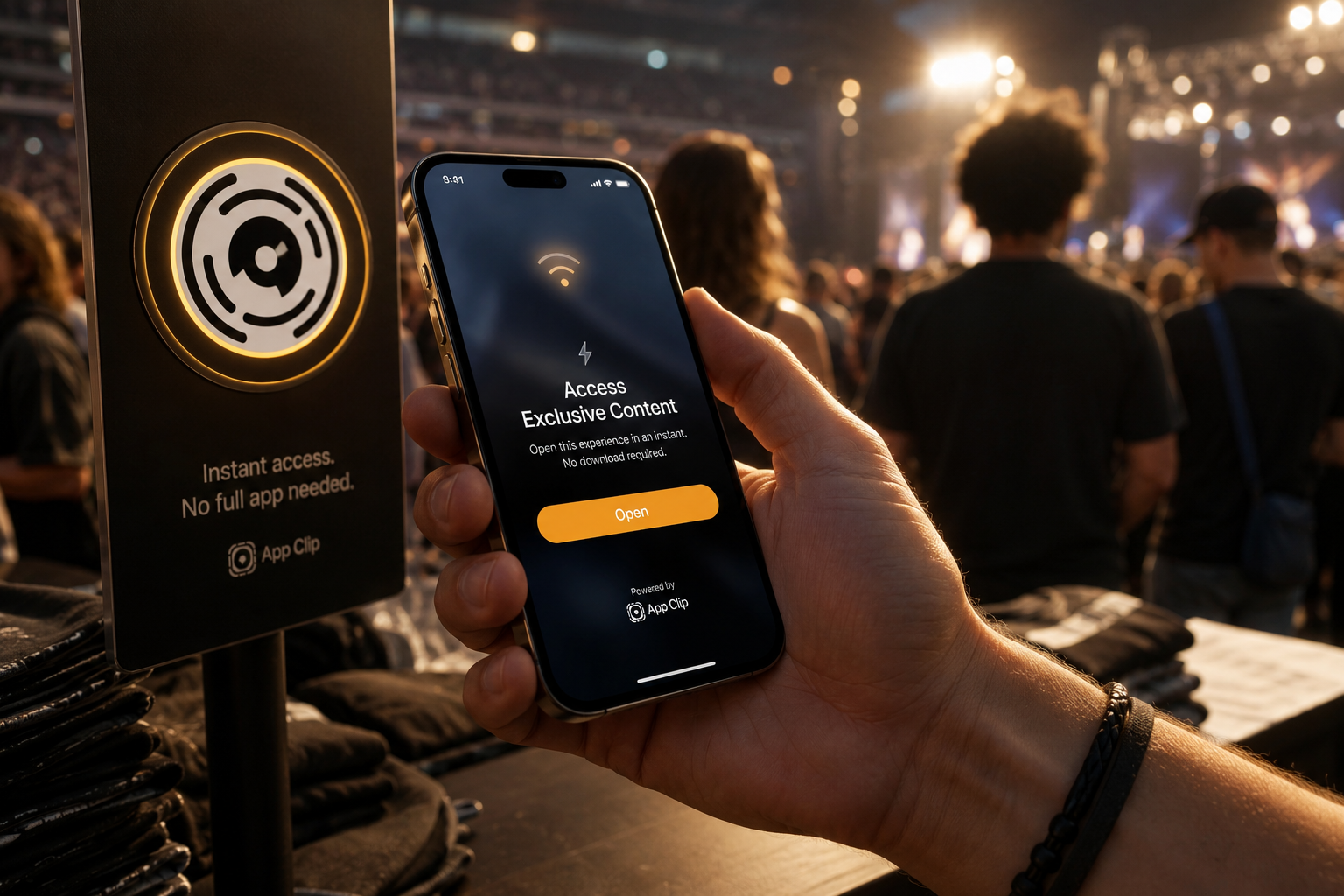
Madison Square Garden, twenty minutes before the lights drop. The merch line is doing what merch lines do — wrapping back on itself, half the people in it deciding what size their cousin wears. A guy three ahead of me pulls out his phone, holds it over an App Clip Code taped to the side of the booth, taps a Face ID prompt, and walks off with a shirt while I’m still counting twenties.
That’s the whole pitch for App Clips. Not “a tiny version of your app.” Not “a marketing funnel.” A focused, transient task — buy the shirt, scan the menu, unlock the scooter — happening in the place and at the moment the user needs it, without an install, without an account, without anything I have to remember tomorrow.
I built a sample app for this post called Tour Merch. It’s an App Clip plus a parent app, both written in Swift 6 with strict concurrency on. The clip lets you buy a shirt at a Metallica show with Apple Pay; the parent app lets you see every shirt you’ve bought across the tour. The whole companion repo is at the end of this post if you want to clone and poke.
What I want to walk through is the stuff that matters once you sit down to build one of these: what App Clips are actually for, how invocation works, how the project is wired, where Apple Pay forces your hand under Swift 6, and how the clip hands off to the parent app without losing the receipt.
For Whom the Bell Tolls
Before any code, the part most posts skip: App Clips are wrong for most apps.
The compressed binary budget is 10 MB. That’s the whole envelope — code, assets, frameworks. No SPM package that pulls in Lottie. No Firebase. No giant analytics SDK. If your app already weighs 80 MB and half of it is third-party glue, you are not shipping that clip without surgery. Apple’s HIG is blunt about it: a clip should do one thing, in seconds, with no learning curve and no sign-in.
The right shape for an App Clip is roughly:
- One screen, maybe two. A confirmation is fine. A tab bar is not.
- A task that finishes in under a minute and never has to be resumed.
- Something the user encounters out in the world — a poster, a counter, a parking meter, a venue booth.
- Apple Pay or guest flow. No account creation. The clip is supposed to feel like a vending machine.
The wrong shape is anything that wants a profile, a feed, a long-form onboarding, or push notifications past the first ephemeral hour. If you’re tempted to make a clip because it’ll be “discoverable” — you’re building marketing, not utility, and the size budget will hate you for it.
Tour Merch fits the shape. One screen: the shirt. One action: buy it. One confirmation: bring this screen to the booth. Everything else is the parent app’s job.
The Four Horsemen of Invocation
A clip is dead weight until something invokes it. There are four ways in, and they all funnel through the same place in your code: an NSUserActivity with a webpageURL.
The hero is the App Clip Code — that little circular black-and-white target with a color ring. It’s a QR code and an NFC tag fused into one physical sticker, designed to live on a booth, a menu, a parking sign. You can also invoke a clip from a plain QR code, a Smart App Banner on a website, or a link in Maps and Messages. Different surfaces, same plumbing on your side.
What every invocation hands you is a URL on your associated domain. In Tour Merch, that URL looks like:
https://tourmerch.example/show/2026-08-14-msg?shirt=72-seasons-tour
The clip’s job on launch is to read that URL and figure out what to show. I keep that logic in a tiny value type called InvocationContext so the rest of the app never has to know URLs exist.
struct InvocationContext: Sendable, Equatable {

    var tourStopID: String?
    var shirtID: String?

    init(tourStopID: String? = nil, shirtID: String? = nil) {
        self.tourStopID = tourStopID
        self.shirtID = shirtID
    }

    init(url: URL?) {
        guard let url,
              let components = URLComponents(url: url, resolvingAgainstBaseURL: false)
        else { return }

        for item in components.queryItems ?? [] {
            switch item.name {
            case "show": tourStopID = item.value
            case "shirt": shirtID = item.value
            default: continue
            }
        }
    }

    var resolvedStop: TourStop? {
        tourStopID.flatMap(MerchCatalog.tourStop)
    }

    var resolvedShirt: Shirt? {
        shirtID.flatMap(MerchCatalog.shirt)
    }

    var isFullyResolved: Bool {
        resolvedStop != nil && resolvedShirt != nil
    }
}
It’s a Sendable value type with two optional strings and a couple of resolver helpers. That’s it. The catalog lookup is just a dictionary in memory — the clip ships with the catalog baked in because hitting a network for “what shirts exist at this show” before showing anything would feel terrible at a venue with bad cell reception.
Wiring it into the app is two lines on WindowGroup:
@main
struct TourMerchClipApp: App {

    @State private var invocation = InvocationContext()

    var body: some Scene {
        WindowGroup {
            ClipRootView(invocation: invocation)
                .onContinueUserActivity(NSUserActivityTypeBrowsingWeb) { activity in
                    invocation = InvocationContext(url: activity.webpageURL)
                }
        }
    }
}
When the clip cold-launches from a scan, onContinueUserActivity fires with a NSUserActivityTypeBrowsingWeb activity, and the URL is on activity.webpageURL. That re-initializes invocation and SwiftUI reacts. If the URL is missing or doesn’t parse, the resolvers fall back to defaults in ClipRootView so the clip never crashes on a bad scan — it just shows the first shirt in the catalog. That fallback matters: a venue printing a misconfigured code shouldn’t be a customer-facing 404.
One pro move for development: set _XCAppClipURL as a scheme environment variable. In Xcode, open Product → Scheme → Edit Scheme → Run → Arguments → Environment Variables, and add a row:
| Name | Value |
|---|---|
_XCAppClipURL |
https://tourmerch.example/show/2026-08-14-msg?shirt=72-seasons-tour |
That single variable is the difference between “I can iterate on this in twenty seconds” and “I’m waiting for TestFlight every change.” It lets you run the clip in the simulator with a real invocation URL without needing a working apple-app-site-association file deployed anywhere.
Battery (of Targets)
The project is two Xcode targets that share a Shared/ folder via target membership.
| Target | Product type | Bundle ID |
|---|---|---|
TourMerch |
application |
net.insoc.tourmerch |
TourMerchClip |
application.on-demand-install-capable |
net.insoc.tourmerch.Clip |
The clip’s product type — application.on-demand-install-capable — is the Xcode incantation that produces an App Clip target instead of a normal app. You set it once when you add the target via File → New → Target → App Clip, and Xcode does the rest. The parent app then lists the clip as an embedded, code-signed dependency in its Build Phases → Embed App Clips copy phase, which pulls the clip into $(CONTENTS_FOLDER_PATH)/AppClips/ at build time. The parent ships the clip inside its IPA; the App Store extracts and serves the clip independently.
The bundle ID matters too. The clip’s bundle ID must be the parent’s bundle ID with .Clip appended. That string is load-bearing. Apple uses it to associate the two binaries and to enforce App Group membership.
The Info.plist for the clip needs an NSAppClip block:
<key>NSAppClip</key>
<dict>
    <key>NSAppClipRequestEphemeralUserNotification</key>
    <false/>
    <key>NSAppClipRequestLocationConfirmation</key>
    <false/>
</dict>
Those keys gate two privileges a clip can ask for: a single ephemeral push notification (eight hours of “your order is ready”), and a location confirmation that proves the user is physically at the venue the invocation URL claims. Tour Merch needs neither — the user is scanning a code that’s literally on the booth in front of them — so both stay false.
The clip’s entitlements file is where the real connective tissue lives:
<dict>
    <key>com.apple.developer.associated-domains</key>
    <array>
        <string>appclips:tourmerch.example</string>
    </array>
    <key>com.apple.developer.in-app-payments</key>
    <array>
        <string>merchant.net.insoc.tourmerch.demo</string>
    </array>
    <key>com.apple.developer.parent-application-identifiers</key>
    <array>
        <string>$(AppIdentifierPrefix)net.insoc.tourmerch</string>
    </array>
    <key>com.apple.security.application-groups</key>
    <array>
        <string>group.net.insoc.tourmerch</string>
    </array>
</dict>
The appclips: prefix on associated domains is the one most people miss. A normal app uses applinks: to declare universal links. A clip uses appclips: — different prefix, separate apple-app-site-association entry, and the appclips payload has its own structure on the server. You also need that AASA file actually served at https://tourmerch.example/.well-known/apple-app-site-association over HTTPS with Content-Type: application/json. Get that wrong and the clip never launches from a scan in production. Honest call: I had a typo in the file once that cost me a full afternoon.
What you don’t get inside a clip is worth saying out loud:
- No background tasks, no background fetch, no
BGTaskScheduler. - No HealthKit, no Contacts, no Photos library, no microphone-by-surprise. The user gave you a scan, not a relationship.
- A single ephemeral push window, max, and only if you explicitly request it.
- No
UIApplicationDelegatelaunch hooks beyond the basics — your entry point is theAppstruct and the user activity callback. - No way to ship a clip larger than 10 MB compressed, which is the constraint that retroactively decides most of your architecture.
Nothing Else Matters (Except Apple Pay)
The clip exists to do one thing: take payment for a shirt. The whole UI is one screen — ShirtDetailView — and a confirmation.

The view model is small enough to read in one breath:
@MainActor
@Observable
final class CheckoutViewModel {

    enum Phase: Equatable {
        case idle
        case paying
        case failed(String)
    }

    let shirt: Shirt
    let tourStop: TourStop
    var selectedSize: Shirt.Size
    var phase: Phase = .idle

    private let payment = ApplePayHandler()

    init(shirt: Shirt, tourStop: TourStop) {
        self.shirt = shirt
        self.tourStop = tourStop
        self.selectedSize = shirt.availableSizes.first ?? .medium
    }

    func buy() async -> Order? {
        phase = .paying
        let pending = ApplePayHandler.PendingOrder(
            shirtName: shirt.name,
            priceCents: shirt.priceCents
        )
        let result = await payment.presentPayment(for: pending)
        switch result {
        case .success:
            let order = Order(
                tourStop: tourStop,
                shirt: shirt,
                size: selectedSize,
                paidCents: shirt.priceCents
            )
            do {
                try await SharedOrderStore.shared.record(order)
                phase = .idle
                return order
            } catch {
                phase = .failed("Payment captured but the receipt could not be saved.")
                return nil
            }
        case .userCancelled:
            phase = .idle
            return nil
        case .failed(let message):
            phase = .failed(message)
            return nil
        }
    }
}
@MainActor on the type, @Observable for SwiftUI, a three-case Phase enum that drives the button between idle, spinning, and an error caption. That’s it. There’s no router, no coordinator, no dependency injection container. The whole clip is small enough not to need any of that, and I think that’s the right discipline — your clip is not the place to flex an architecture.
The interesting part is what ApplePayHandler had to become under Swift 6 strict concurrency. The first version I wrote was the version every Apple Pay tutorial shows you: a class that conforms to PKPaymentAuthorizationControllerDelegate and stuffs the result into a CheckedContinuation. Swift 6 hated it. PKPaymentAuthorizationController calls its delegate from a non-isolated context, but my class was @MainActor, and the compiler — correctly — refused to let the delegate methods inherit that isolation. The errors were the kind that make you stare at PassKit and wonder if it was ever audited for Sendable.
The fix is small once you see it: keep the type @MainActor for the present/dismiss flow, but mark the delegate methods nonisolated and hop back onto the main actor explicitly to touch the continuation.
@MainActor
final class ApplePayHandler: NSObject {

    static let merchantIdentifier = "merchant.net.insoc.tourmerch.demo"

    enum PaymentResult: Sendable {
        case success
        case userCancelled
        case failed(String)
    }

    private var continuation: CheckedContinuation<PaymentResult, Never>?
    private var controller: PKPaymentAuthorizationController?

    func presentPayment(for order: PendingOrder) async -> PaymentResult {
        let request = PKPaymentRequest()
        request.merchantIdentifier = Self.merchantIdentifier
        request.supportedNetworks = [.visa, .masterCard, .amex, .discover]
        request.merchantCapabilities = [.threeDSecure]
        request.countryCode = "US"
        request.currencyCode = "USD"
        request.paymentSummaryItems = order.summaryItems

        let controller = PKPaymentAuthorizationController(paymentRequest: request)
        controller.delegate = self
        self.controller = controller

        let presented = await controller.present()
        guard presented else {
            self.controller = nil
            return .failed("Apple Pay sheet could not be presented.")
        }

        let result = await withCheckedContinuation { (cont: CheckedContinuation<PaymentResult, Never>) in
            self.continuation = cont
        }

        await controller.dismiss()
        self.controller = nil
        return result
    }
}

extension ApplePayHandler: PKPaymentAuthorizationControllerDelegate {

    nonisolated func paymentAuthorizationController(
        _ controller: PKPaymentAuthorizationController,
        didAuthorizePayment payment: PKPayment,
        handler completion: @escaping (PKPaymentAuthorizationResult) -> Void
    ) {
        // Demo posture: every authorization succeeds. In production this is where the
        // payment token goes to the merchant gateway (Stripe, Adyen, custom) for capture.
        completion(PKPaymentAuthorizationResult(status: .success, errors: nil))
        Task { @MainActor [weak self] in
            self?.resume(with: .success)
        }
    }

    nonisolated func paymentAuthorizationControllerDidFinish(
        _ controller: PKPaymentAuthorizationController
    ) {
        Task { @MainActor [weak self] in
            self?.resumeIfPending(.userCancelled)
        }
    }

    @MainActor
    private func resume(with result: PaymentResult) {
        continuation?.resume(returning: result)
        continuation = nil
    }

    @MainActor
    private func resumeIfPending(_ result: PaymentResult) {
        guard continuation != nil else { return }
        resume(with: result)
    }
}

The shape that finally compiled: nonisolated delegate methods do the immediate PassKit-required work (call completion synchronously so the sheet animates correctly), then dispatch the continuation resume back to the main actor with a Task { @MainActor [weak self] }. The resumeIfPending variant exists because paymentAuthorizationControllerDidFinish fires both on user-cancel and after a successful authorization, and you only want to resume the continuation once. Without that guard, the second resume crashes the app with “resumed twice.”
This is the part of building on Apple’s older Objective-C-era frameworks under Swift 6: the language gets stricter, the framework doesn’t move, and you end up writing a careful little adapter that bridges two eras. Not ideal, but honest.
Two more things worth flagging. The merchant ID merchant.net.insoc.tourmerch.demo is a placeholder. In production you register a real merchant ID in your developer account, attach it to a merchant-bound certificate, and the didAuthorizePayment callback is where you send the encrypted PKPayment.token to your gateway (Stripe, Adyen, Square, your own backend talking to one of them) for actual capture. The demo posture in this code returns success unconditionally because the goal of this post is the App Clip plumbing, not a PCI walkthrough.
Also worth saying: Apple Pay inside a clip is the only payment path that makes sense. No card form. No “create an account to save your order.” The clip exists because the user does not want a relationship — they want the shirt.
One
The clip captures the order. The parent app needs to see it.

The link between them is an App Group, accessed through an actor-isolated store.
actor SharedOrderStore {

    static let appGroup = "group.net.insoc.tourmerch"
    private static let ordersKey = "tourmerch.orders.v1"

    static let shared = SharedOrderStore()

    private let defaults: UserDefaults
    private let decoder = JSONDecoder()
    private let encoder = JSONEncoder()

    init(suiteName: String = SharedOrderStore.appGroup) {
        guard let suite = UserDefaults(suiteName: suiteName) else {
            assertionFailure("Missing App Group container '\(suiteName)' — check entitlements.")
            self.defaults = .standard
            return
        }
        self.defaults = suite
    }

    func allOrders() -> [Order] {
        guard let data = defaults.data(forKey: Self.ordersKey) else { return [] }
        return (try? decoder.decode([Order].self, from: data)) ?? []
    }

    func record(_ order: Order) throws {
        var orders = allOrders()
        orders.append(order)
        let data = try encoder.encode(orders)
        defaults.set(data, forKey: Self.ordersKey)
    }

    func clear() {
        defaults.removeObject(forKey: Self.ordersKey)
    }
}
The actor isolates a UserDefaults(suiteName:) keyed on the App Group identifier group.net.insoc.tourmerch. Both targets declare that group in their entitlements; the system gives them a shared container at runtime. The store encodes a [Order] array as JSON under one key. That’s deliberately boring — there’s no migration story, no SwiftData, no Core Data, because the clip cannot afford the framework weight and the data set is tiny.
The Order itself is plain Sendable, Codable, Hashable:
struct Order: Sendable, Identifiable, Hashable, Codable {
    let id: UUID
    let placedAt: Date
    let tourStop: TourStop
    let shirt: Shirt
    let size: Shirt.Size
    let paidCents: Int
}
Value type, no inheritance, every field automatically Sendable. It crosses the clip-to-parent boundary as JSON bytes in shared UserDefaults. The parent app reads it back with the same actor:
@MainActor
@Observable
final class OrderHistoryViewModel {
    var orders: [Order] = []

    func load() async {
        orders = await SharedOrderStore.shared.allOrders()
            .sorted { $0.placedAt > $1.placedAt }
    }
}
The view model is @MainActor, calls await SharedOrderStore.shared.allOrders() to hop into the actor, sorts in place, and SwiftUI rebuilds the list. The view does the rest:
struct OrderHistoryView: View {

    @State private var viewModel = OrderHistoryViewModel()

    var body: some View {
        NavigationStack {
            Group {
                if viewModel.orders.isEmpty {
                    ContentUnavailableView(
                        "No orders yet",
                        systemImage: "scroll",
                        description: Text("Scan an App Clip Code at the merch booth to place an order.")
                    )
                } else {
                    List(viewModel.orders) { order in
                        // …row…
                    }
                }
            }
            .navigationTitle("Orders")
            .task { await viewModel.load() }
            .refreshable { await viewModel.load() }
        }
    }
}
Last piece: the install nudge. The clip never demands the user install the parent app — that would betray the whole point. But the receipt screen offers it gently with an SKOverlay:
.appStoreOverlay(isPresented: $showStoreOverlay) {
    // In production, replace .recommendApps with .appClipsButton for the parent app.
    SKOverlay.AppConfiguration(appIdentifier: "0000000000", position: .bottom)
}
That’s the right tone for an overlay in a clip. It’s a button labeled “Install the full app to see all your orders,” not a modal blocking the receipt. If the user installs the parent later, the orders they bought through the clip are already in the App Group container, waiting. They open the parent for the first time and their history is just there. No sign-in, no restore, no email magic link. The receipt survived.


What doesn’t survive: anything you stored in the clip’s own sandbox UserDefaults.standard or its Documents directory. The clip’s container is ephemeral — iOS can evict it whenever it wants, and once the clip’s eight-hour active window passes, you should assume it’s gone. If you want data to outlive the clip, App Group is the answer. Nothing else is.
Fade to Black
App Clips are good at exactly one thing: collapsing the distance between a user encountering your product in the real world and them completing a single transaction with it. A shirt. A meal. A scooter unlock. A parking session. A check-in. The clip is a pinpoint — and the closer you keep your scope to that pinpoint, the better the clip feels.
They are not a back door into the App Store. They are not a way to sneak a thin version of your app onto someone’s home screen. They are not a marketing tool dressed up as utility. Every time I’ve seen a clip break, it broke because someone tried to make it carry the weight of a full app — multiple screens, an account, a feed, a notification campaign — and either blew through the 10 MB budget or shipped a confusing experience that the user immediately abandoned.
The Tour Merch sample is small on purpose. One invocation context. One shirt screen. One Apple Pay flow. One App Group write. One parent app that knows how to read what the clip wrote. About six hundred lines of Swift end to end, including the catalog. That’s the right size for a clip.
Back at the Garden, the lights drop, the opening riff hits, and somewhere in the row behind me there’s a guy in a shirt he bought between songs without ever installing a thing. That’s the bar. If your clip clears it, ship it. If it doesn’t, the clip was probably the wrong tool, and the answer was an honest app the whole time.
Full sample on GitHub: wesmatlock/Clip-App-Blog.